The release from June 16th contains some big, impactful changes! Below you will find details surrounding this release and others coming in the near future.
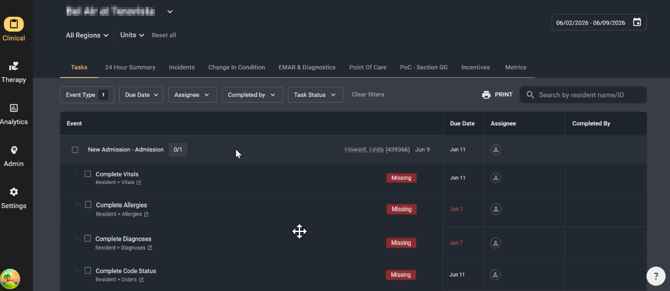
Four new audits related to Admissions and Re-admissions
Gemini has always audited key admission documentation, including BIMS, PHQ-9, Fall Assessments, and Skin Assessments.
This release adds four new admission requirements:
- Vitals
- Allergies
- Diagnoses
- Code Status
If any of these items are missing when an admission or readmission is identified, Gemini will automatically generate a task in the Tasks Dashboard.
Improved Falls Tracking
Auditing documentation around Falls has always been a key component of what Gemini does. Gemini now includes three new fall-related audits to help ensure timely follow-up and documentation.
- Neuro Checks - For unwitnessed falls or falls involving a head injury, Gemini verifies that neuro checks are documented as underway or completed. If not, a task is generated.

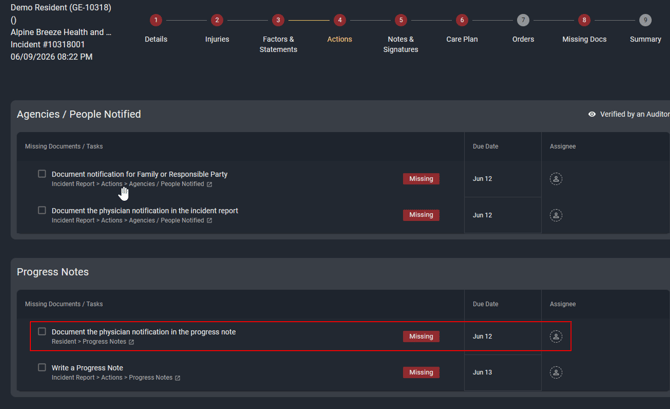
- Physician Notification - Gemini already confirms physician notification within the incident report. It will now also verify that physician notification is documented in a progress note on the medical record.
- **Coming Soon** Alert Charting - Following a fall, residents should be monitored to identify any delayed injuries or care needs. The upcoming Alert Charting feature will audit the medical record for a fall-related progress note once per shift for 72 hours after an incident.
If the current shift has an outstanding progress note, it will display as a task on the Tasks Dashboard. Once the new shift begins, the old task will be expired and a new one will populate.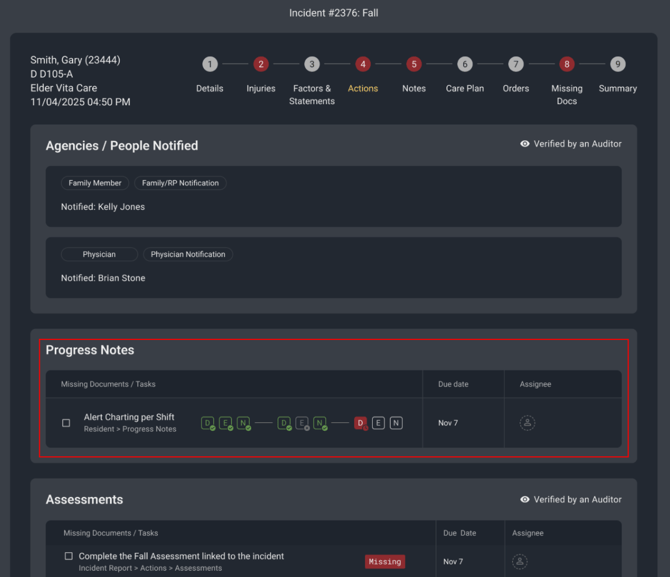
Improved Visibility in the 24 Hour Summary Report
The 24 Hour Summary has long been one of Gemini's most popular features. We are now offering two new ways to analyze the report!
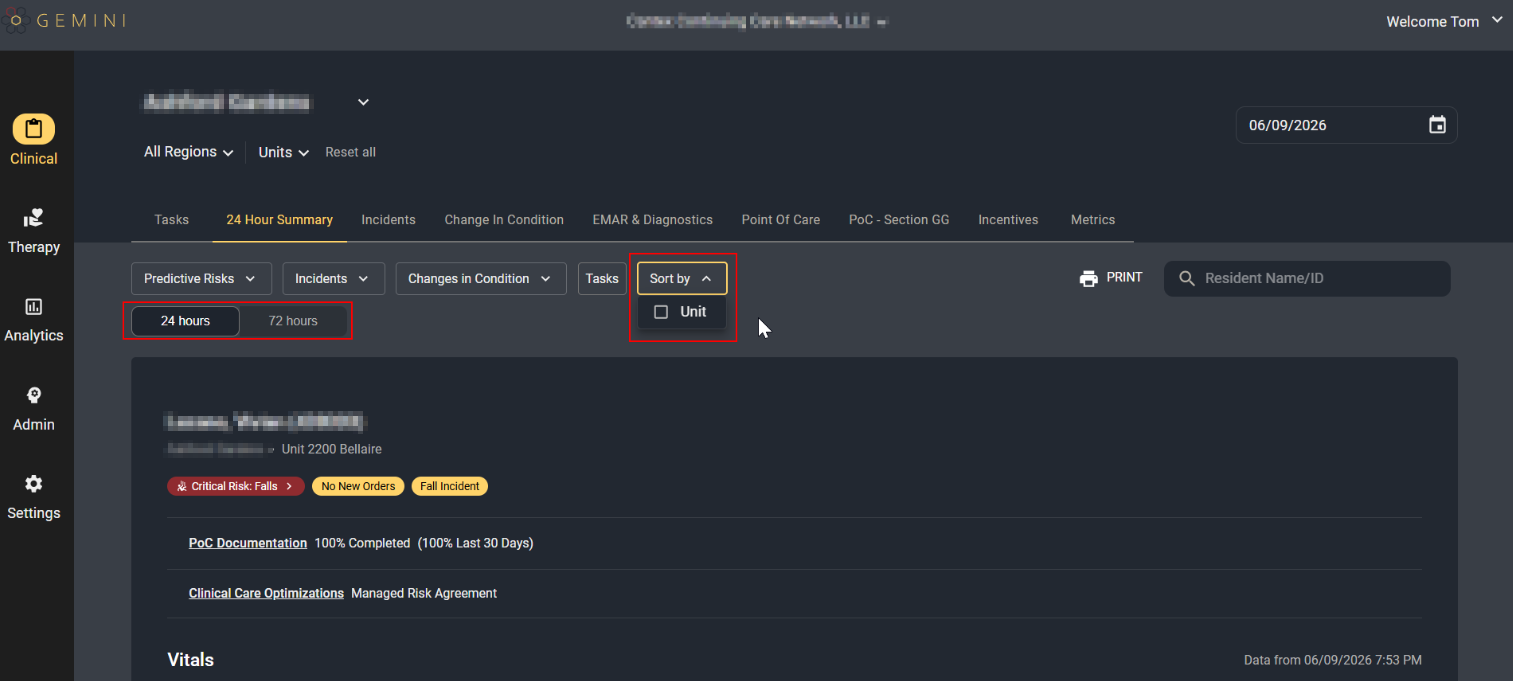
- Sort by Unit - The default sort order for residents in the report is still to sort by "risk". However, you are now able to sort by Unit. When selected, residents are grouped by unit and then sorted by room number.
- **Coming Soon** 72 Hour Report - The 24-Hour Summary Report has traditionally displayed a single calendar day of data.
A new 72-Hour View will allow users to review three consecutive days of activity, providing better visibility into trends and making weekend review easier on Mondays.
If you have any questions or concerns, please reach out to support@geminihc.io or your dedicated Customer Success Manager.